A stress classification line is a straight line through the wall, from one surface to the other, along which the stress is split into membrane, bending and peak. Place it normal to the mid-surface, at each place where the shape or the stiffness changes, with its ends clear of any sharp corner where the elastic stress keeps rising as the mesh is refined.
In a shell model there is nothing to place, because the elements already carry the split. Lines matter when a junction is modelled in solid elements, and FEXLA lets the engineer place them there.
What the line is for
The limits of ASME Section VIII Division 2, Part 5 apply to membrane stress, to membrane plus bending, and to peak stress. They do not apply to the stress at a point. A solid model gives the stress at every point, and each value is a mix of all three parts.
The line is where the mix is taken apart. The average along it is the membrane part, the straight-line part that varies from one face to the other is bending, and the rest is peak. The post on Annex 5-A linearisation works the arithmetic. The answer depends on where the line runs, so placing it is part of the analysis, and a report should show where every line was.
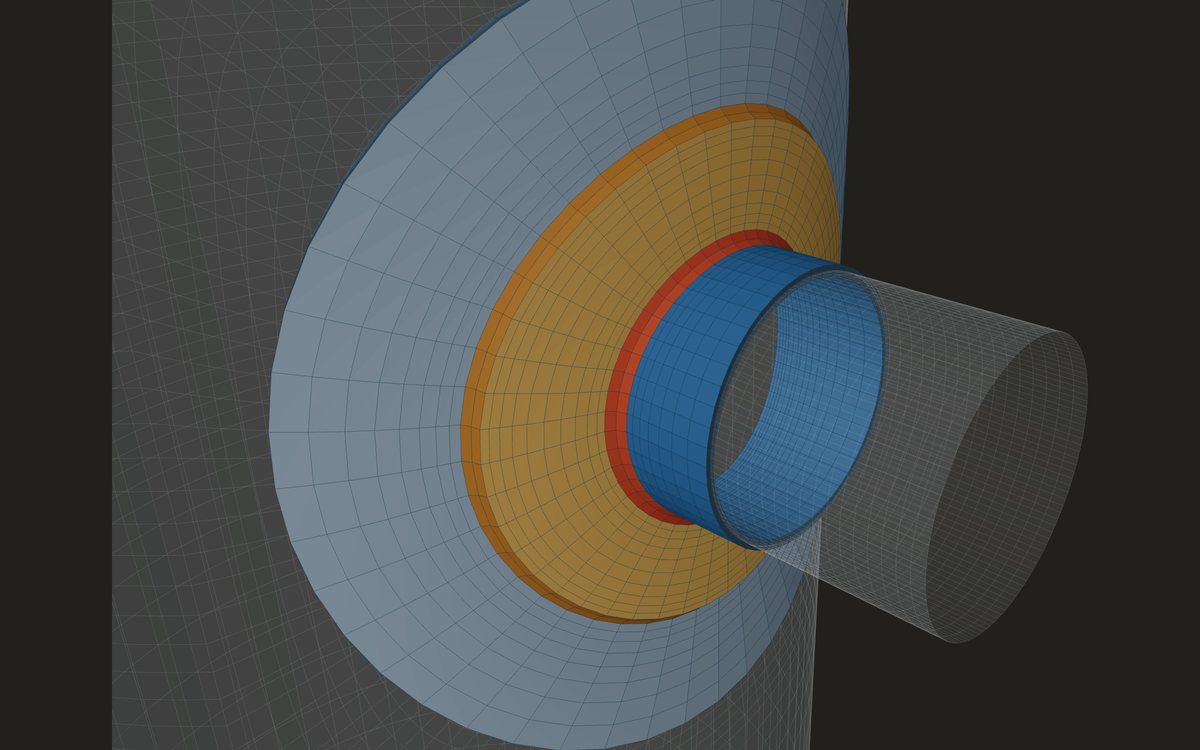
Where the lines go
- Through the wall, from the wetted surface to the outside, normal to the mid-surface. The length of the line is taken as the wall thickness, so a slanted line reads a thicker wall than there is, and its bending part no longer means bending of the wall.
- At each structural discontinuity: the shell beside the weld toe, the nozzle wall just above the weld, the shell just outside the pad weld, and through the junction itself.
- In both main planes round the nozzle, where the loads put their largest stress: along the shell axis and across it.
- Once more where the local effect has faded, about √(R·t) from the weld toe on the shell and √(r·t) up the nozzle, to read the field the junction sits in.
FEXLA's preset lines follow this list. On a nozzle they run through the junction from the inside corner to the weld face, through the shell wall at the weld toe and through the neck wall just above the weld, each at 0° and 90° round the nozzle. Further lines sit in the shell at √(R·T) from the weld toe, in the neck at √(r·t) above the weld, just outside the pad weld toe when there is a pad, and in an inside projection when there is one.
Keep the ends clear of a sharp corner
An elastic solid model has no finite stress at a sharp re-entrant corner, such as the inside corner where the nozzle bore meets the shell, or a weld toe drawn as a sharp angle. Refine the mesh there and the corner value keeps rising. It describes the mesh, not the vessel.
A line that ends on such a point reads a total stress at that end that moves with every refinement. The membrane and bending are integrals along the whole line and change much less, but the peak at that end is not a number to design with. So the lines in the shell and the neck sit beside the weld, not on its toe corner, and the line through the junction corner is read for its membrane and bending. The solver also samples each line just inside its two ends, so an end point never falls exactly on a surface.
Why a shell model needs no lines
Through a shell element the stress is a straight line by construction. The element carries a membrane force N and a bending moment M per unit length, and the split is exact:
At a junction the shell model reads the stresses at the weld toes, a set distance from the intersection line, since that line lies inside the other part's wall. For the primary plus secondary range it also takes an exact linearisation along the weld line, from the force and moment the elements pass across it, and uses the larger of the two. Those line values come from equilibrium, so they do not depend on how finely the mesh resolves the gradient beside the line.
Placing your own lines in FEXLA
Where a shell is not enough, for thick walls or where the weld itself matters, the shell model can be followed by a solid detail of one junction in brick elements, with its fillet welds. Its cut faces are driven by the motion of the shell model round them. It comes with the preset lines above, and the engineer can add, copy, move and remove lines:
- Click through the wall: one click on the outside surface puts end b there, and end a is found straight through the wall along the surface normal, on the far surface.
- Click end a and end b separately, for a line that must run between two chosen points.
- Type the ends in the model's frame: u and v across the attachment, w along its axis. End a is read as the inside, wetted end.
- Go back to the presets at any time.
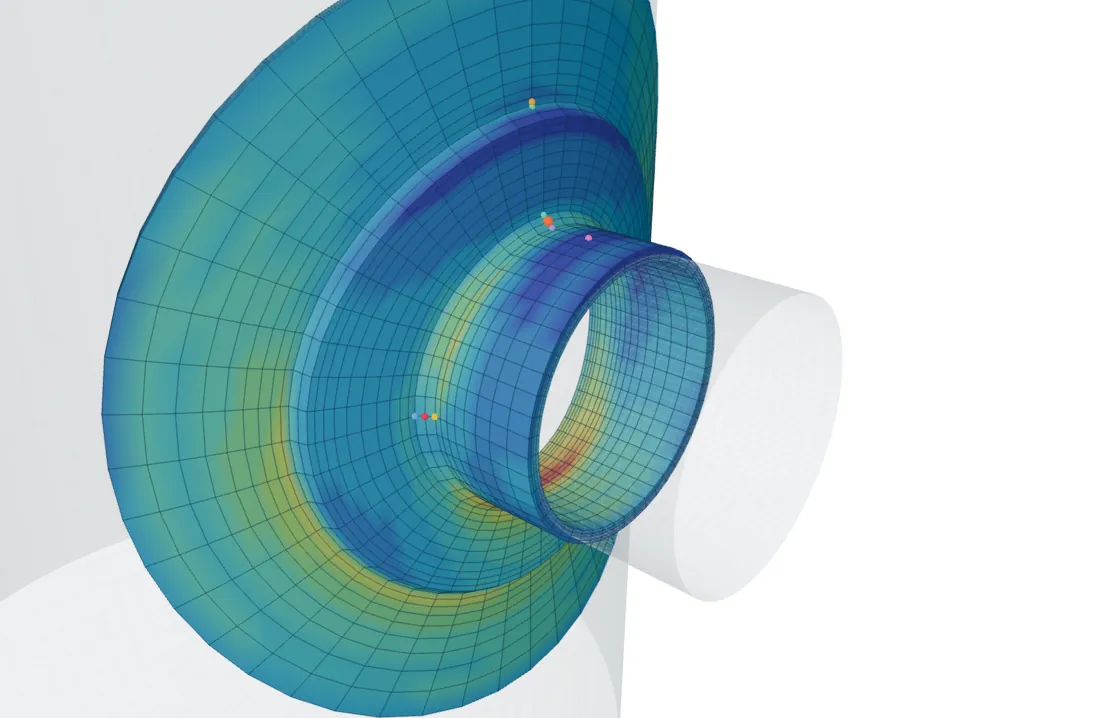
For each line the table gives the thickness it measured, the membrane, the membrane plus bending at both ends, the total, and the ratio to the allowable of the part the line lies in: SPL for a primary case, SPS for a range. A plot shows the total stress through the wall beside the linearised one. Which category a line belongs to is the engineer's decision; the tool shows the numbers against the allowables of the case.
The solid detail takes a round nozzle or a plate attachment. Obround openings, heavy barrels, nozzles with gussets and tangential nozzles are not bricked in this version, and the tool says so when asked.
Where it stops
- 01Where a line goes, and which category its stresses belong to, are the engineer's decisions. The tool does not classify a line placed by hand.
- 02A line ending on a sharp corner gives a peak that depends on the mesh.
- 03The solid detail is linear and driven by the shell model, so it is only as good as the shell solution at its cut faces.
- 04Only round nozzles and plate attachments can be bricked; obround, heavy-barrel, gusseted and tangential nozzles cannot yet.
- 05The finite-element results, shell and solid, are early access and under verification.
Try it in FEXLA
The Nozzle loads card runs the WRC 537 check or the shell model; with the shell model, a solid detail of the junction can be added and its lines placed by clicking.
Open the cardReferences
- ASME Section VIII Division 2, Part 5: Annex 5-A, 5-A.4.1 (stress classification lines); Table 5.6 (stress classification).
Method notes this draws on
Next post: Stress linearisation by Annex 5-A, with a worked example
Educational article. It explains principles and is not design guidance; follow your governing code and edition.